The booking app for driving instructors in Ireland

Not sure about setting up? Not sure? Book a free call
See how it works

1 / 8

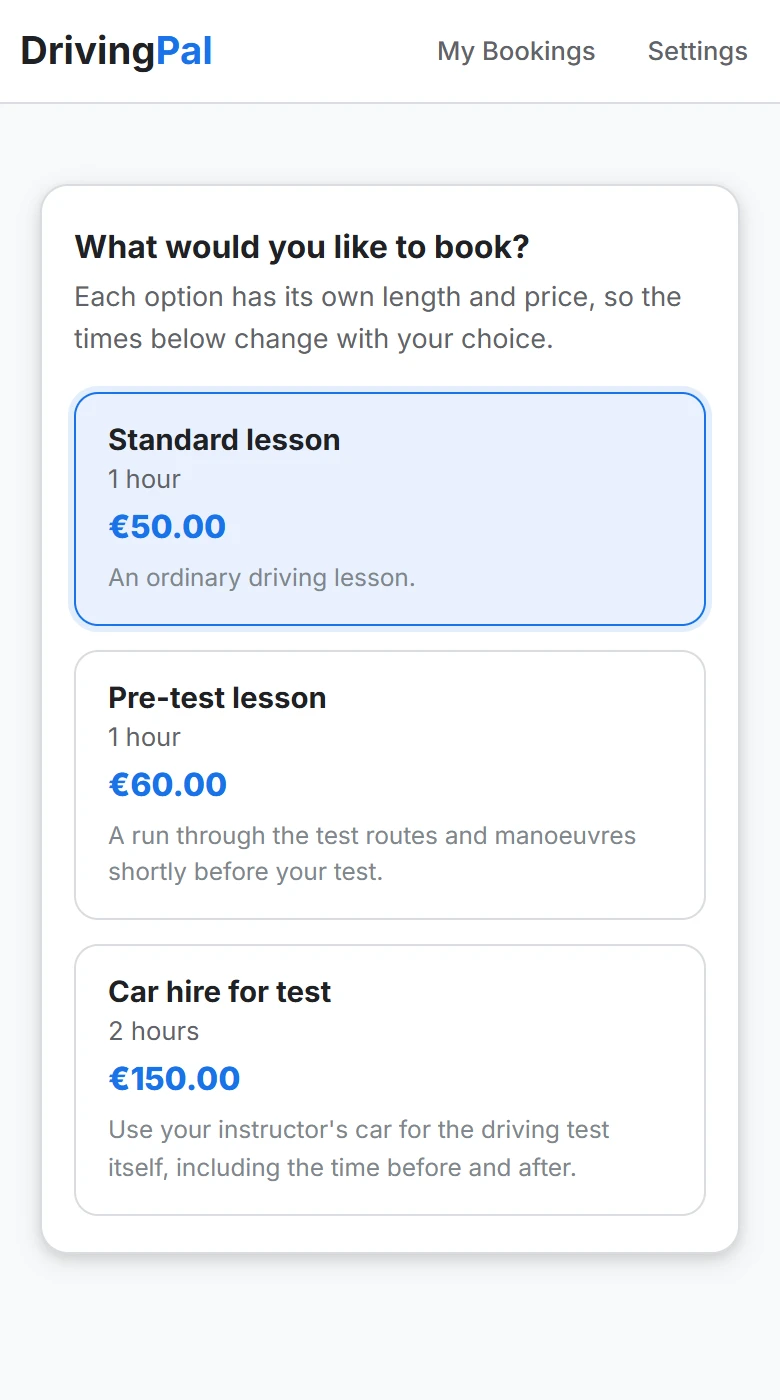
They open your link and choose a lesson

Your own booking page, with your lessons and prices.

The lesson types on a phone: standard lesson, pre-test lesson and car hire for test, each with a length and price.

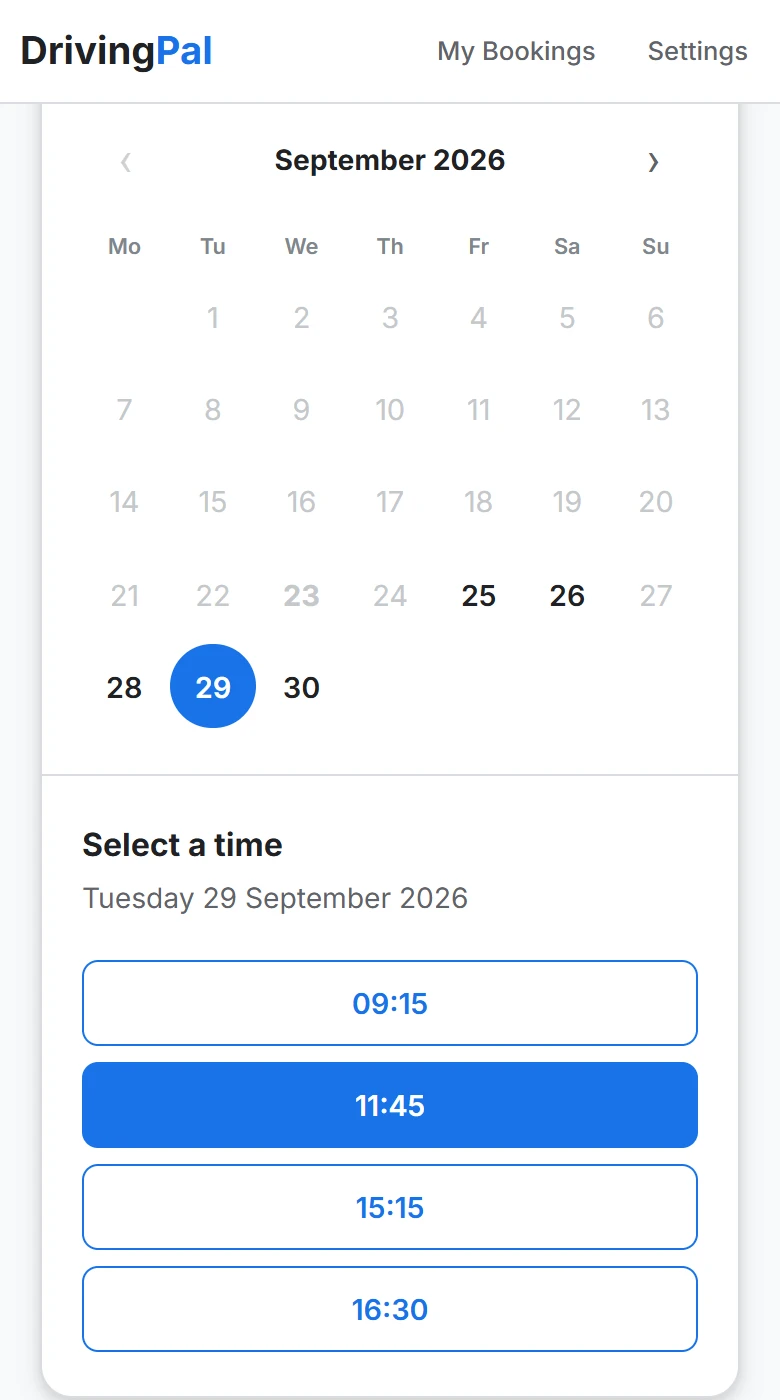
They pick a time

Only your free times show, so no double bookings.

The booking page on a phone: a calendar with a date picked and the free times listed below it.

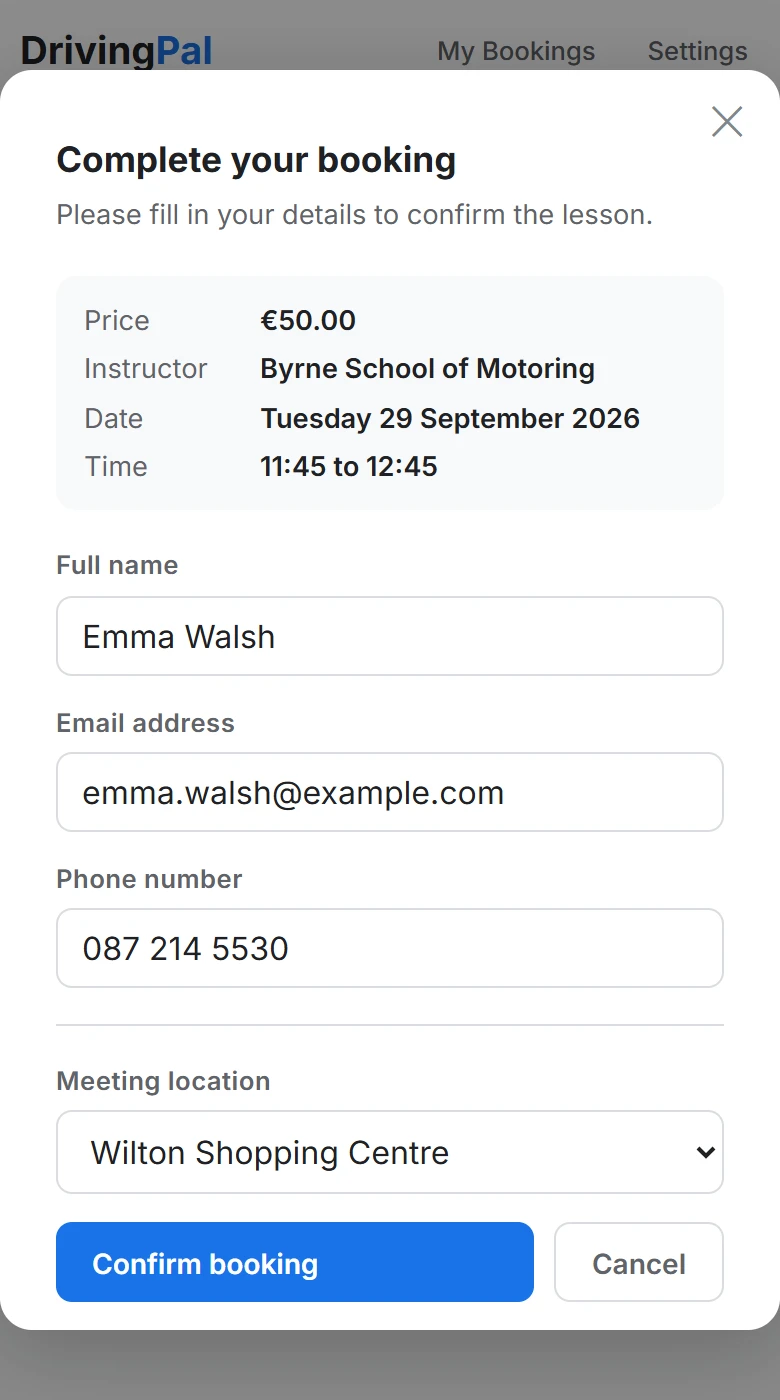
They add their details

Their phone number and where to meet.

The booking form on a phone: the lesson, price and time, then the student's name, email, phone and meeting place.

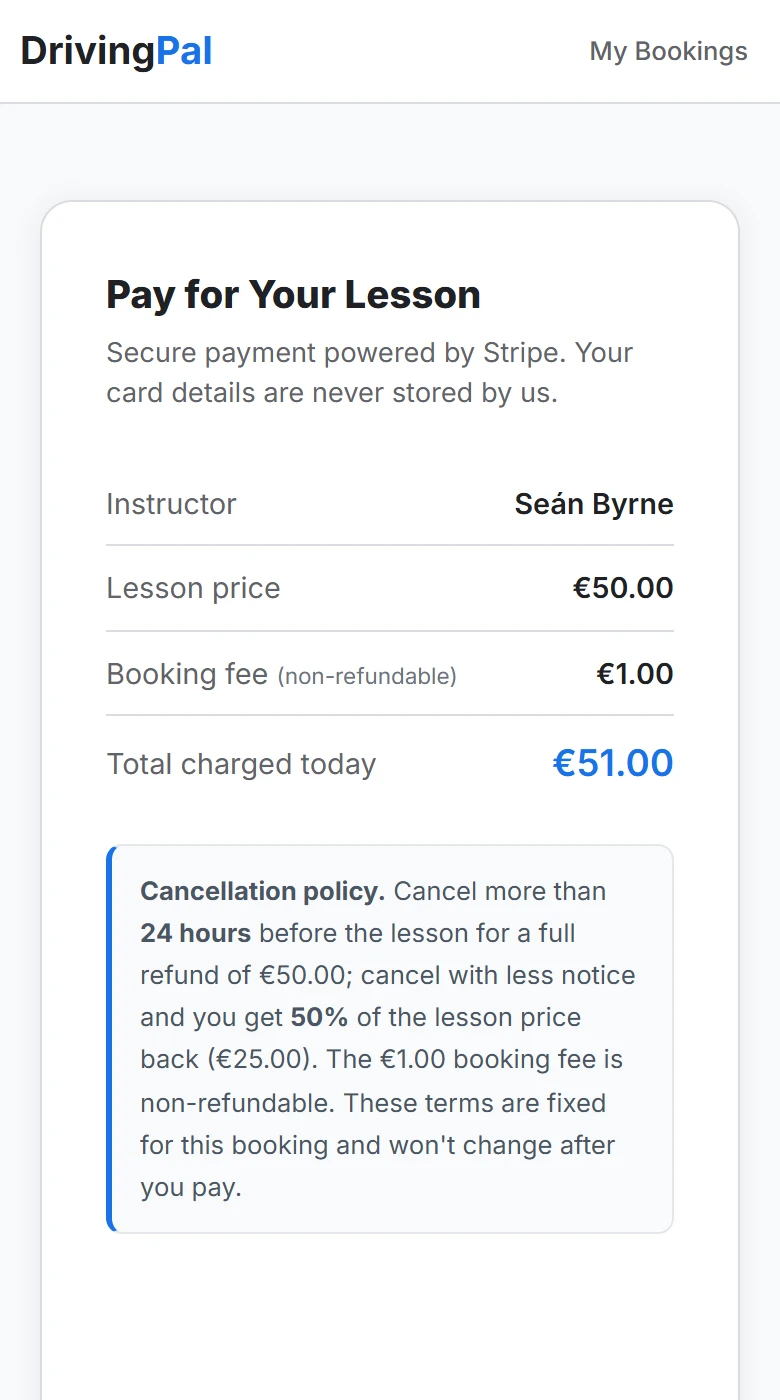
They pay upfront

By card, before the lesson. The money is paid to you.

The payment page on a phone: lesson price, booking fee, total and the cancellation policy.

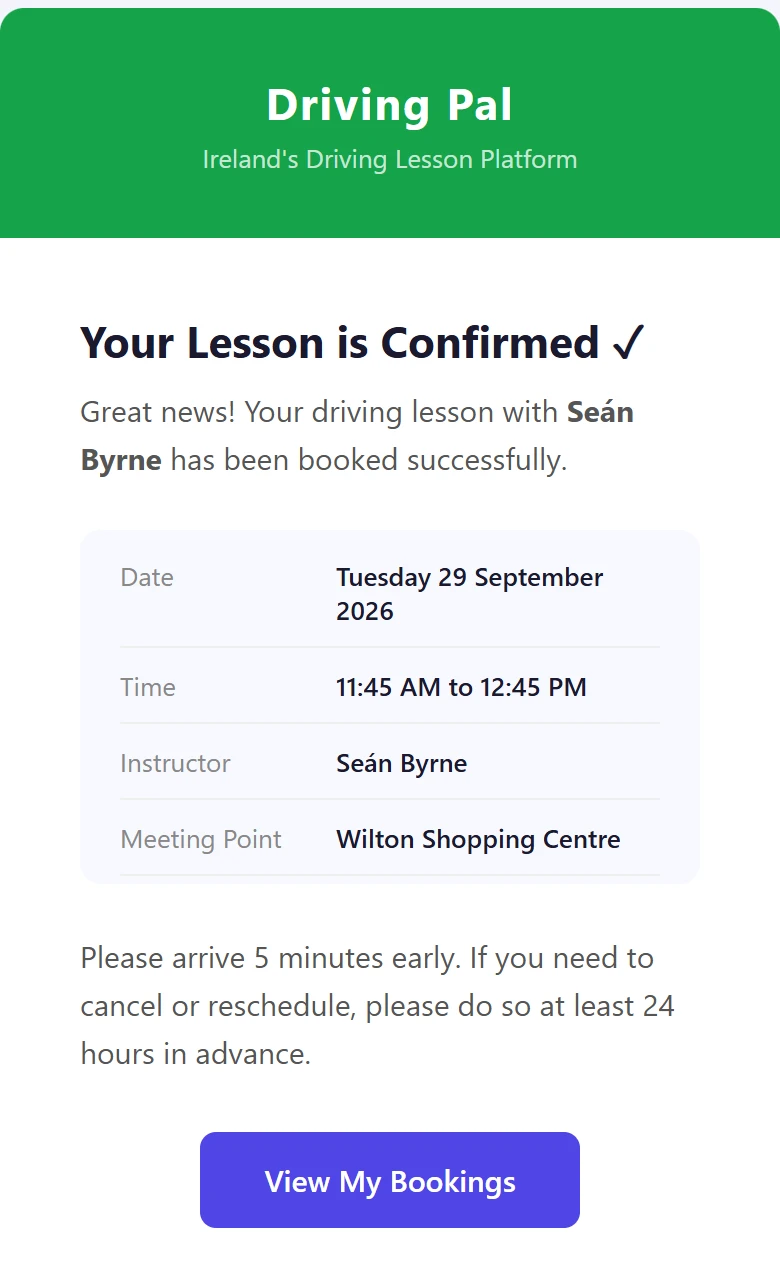
They get a confirmation

An email with all the details, sent for you.

Booking Confirmed | Driving PalDriving Pal <bookings@drivingpal.ie>
The booking confirmation email: the lesson date, time, instructor and meeting point.

It lands in your calendar

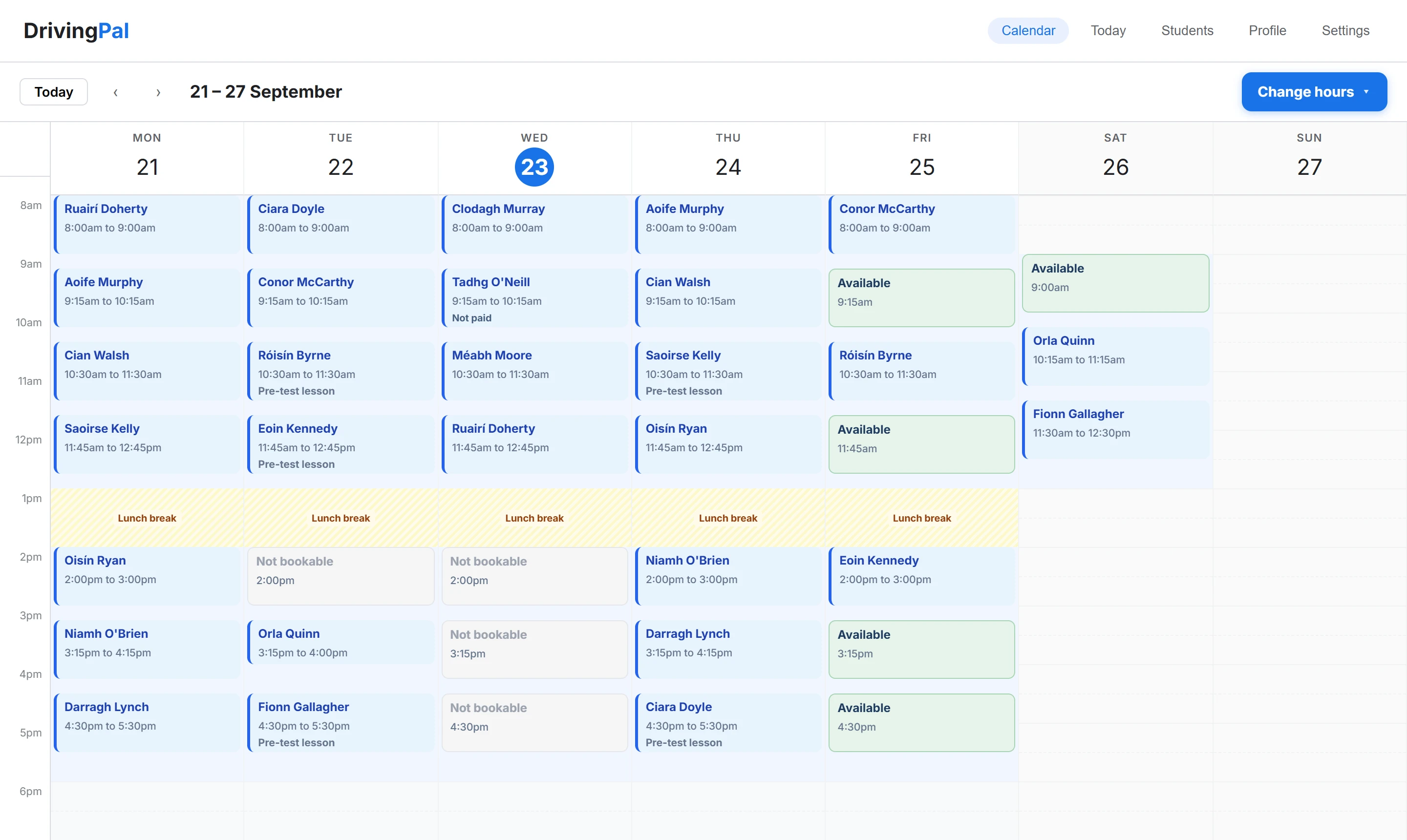
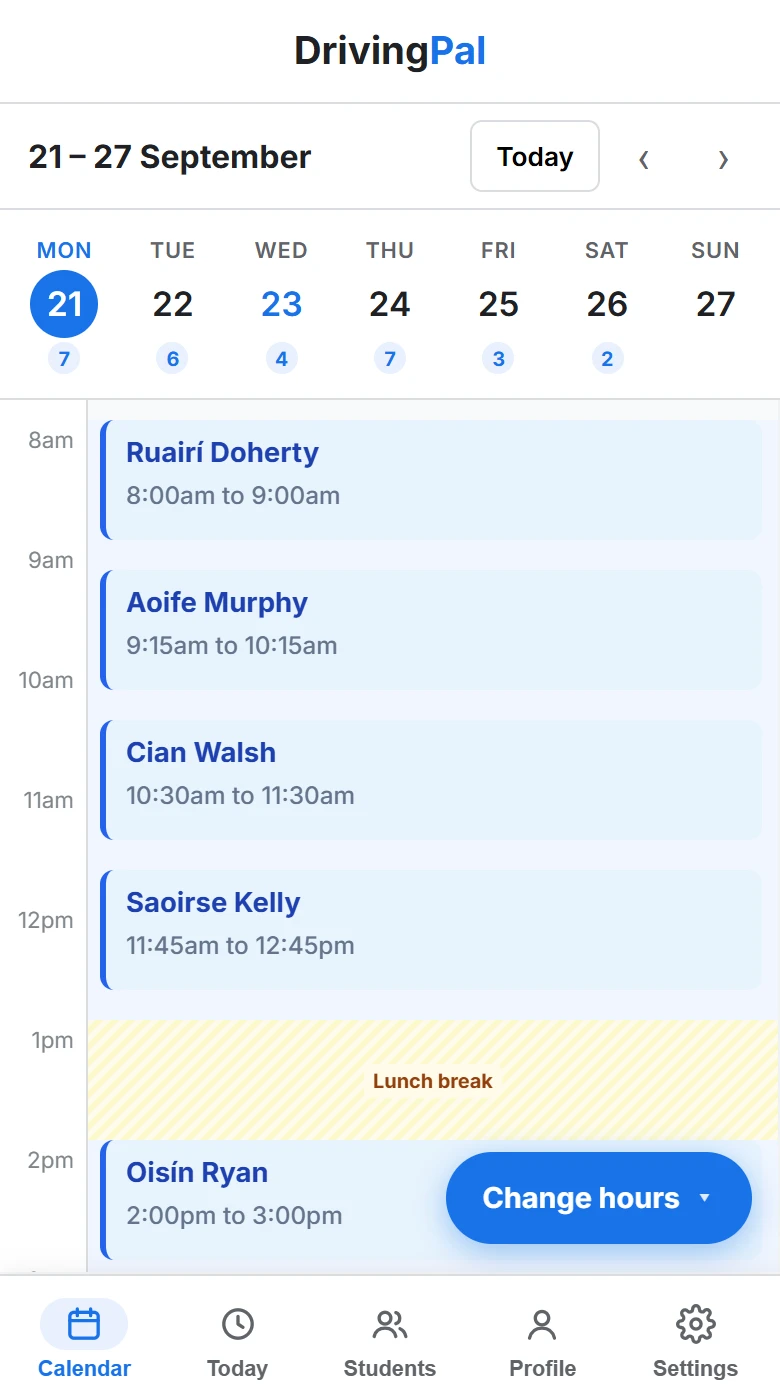
Your whole week, on your phone or laptop.

drivingpal.ie/instructor
The instructor calendar on a laptop: a full week of lessons with student names, free slots in green and a lunch break.
The instructor calendar on a phone, showing one day of lessons with the days of the week along the top.

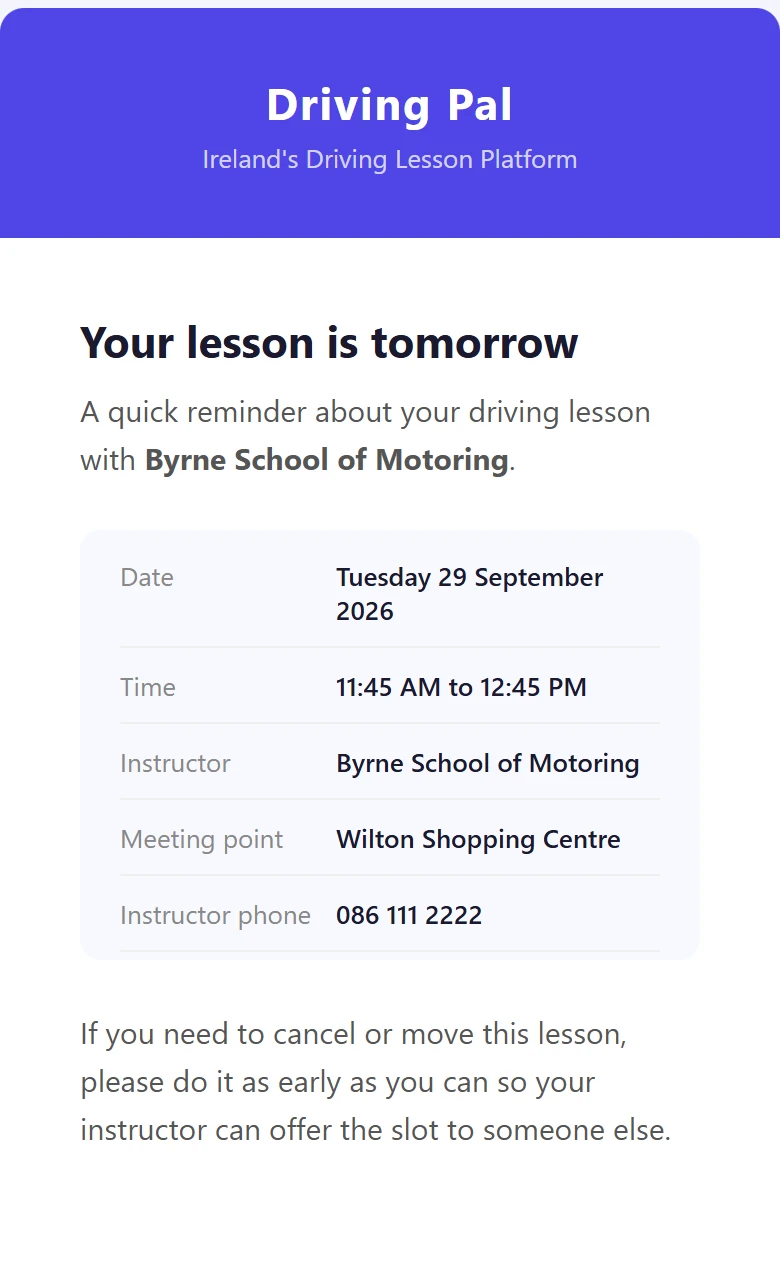
A reminder goes out the day before

Sent for you, so fewer students forget.

Reminder: your driving lesson is tomorrowDriving Pal <bookings@drivingpal.ie>
The reminder email: your lesson is tomorrow, with the date, time, meeting point and the instructor's phone number.

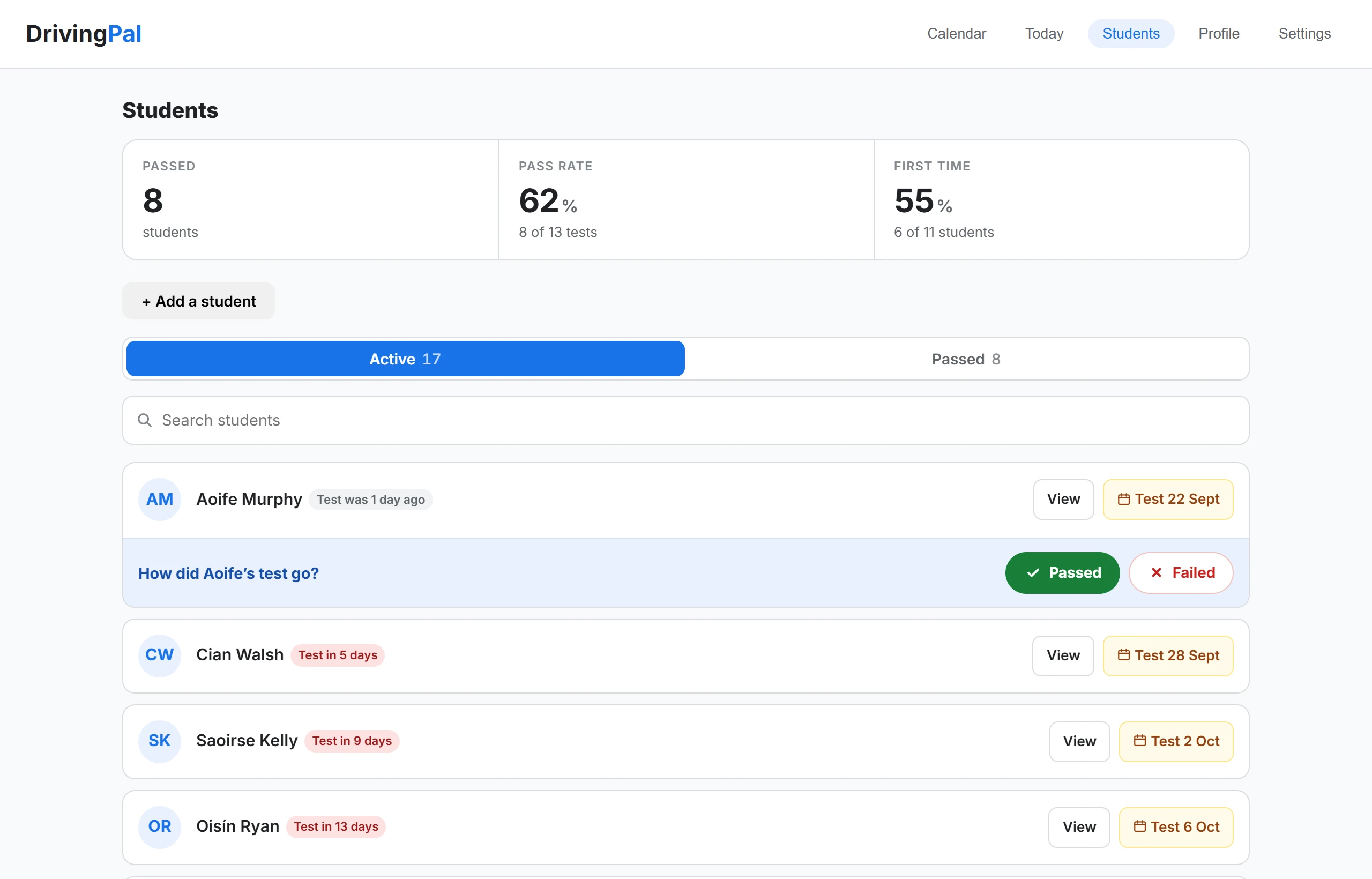
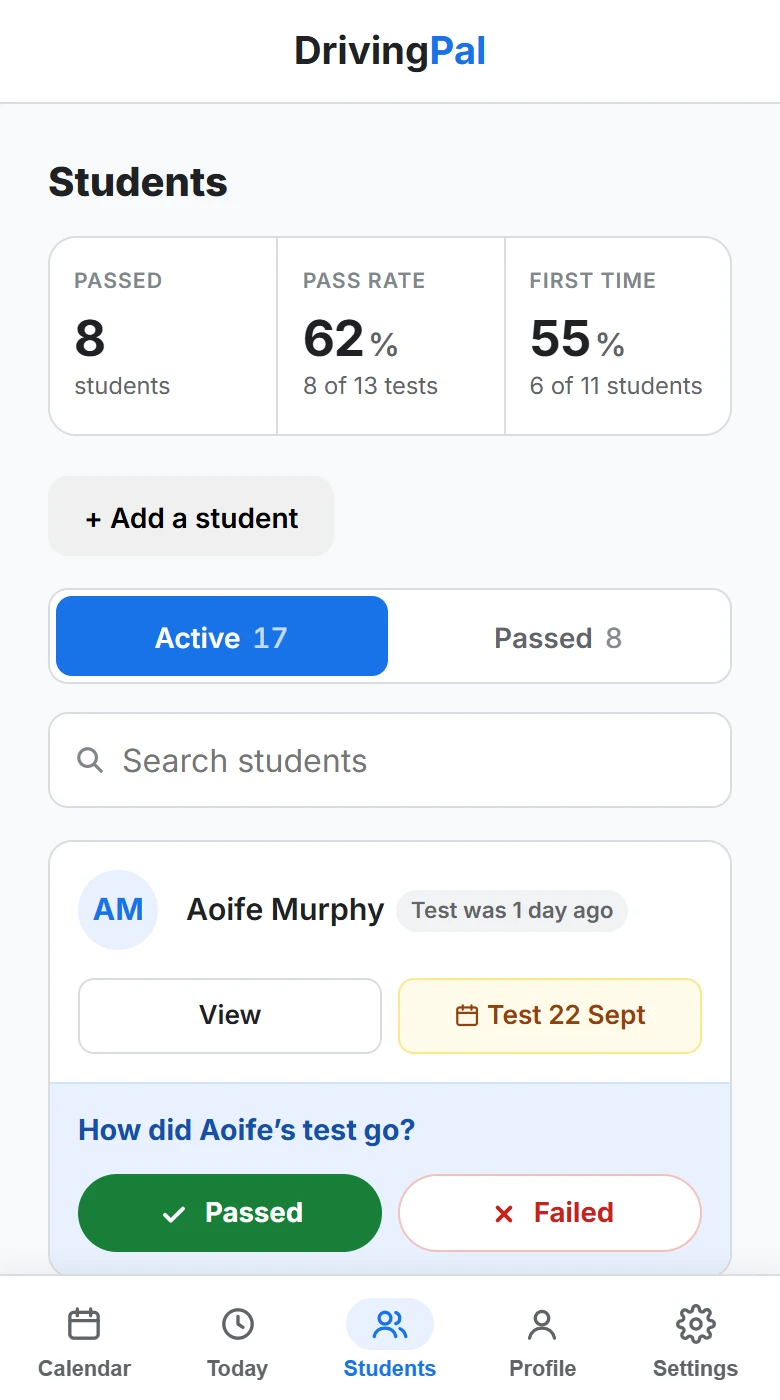
Every student in one place

All their details, lessons and test dates.

drivingpal.ie/instructor
The Students screen on a laptop: pass rate figures, then students sorted by test date with Passed and Failed buttons.
The Students screen on a phone: pass rate figures and a student whose test was yesterday, with Passed and Failed buttons.

Features

Everything you need to run your diary, in one place.

Booking link

Students book your free times from one link.

Paid upfront

Card payments go straight to your own account.

Your calendar

Your week and your day, on your phone or laptop.

Cancellation rules

You choose what a late cancellation costs.

Easy rescheduling

Students pick a new time themselves. No texts.

Confirmations and reminders

Emailed for you when they book, and the day before.

Your day by email

Tomorrow’s lessons, emailed each evening.

Student records

Contacts, lessons, test dates and your pass rate.

Simple pricing

One price. Nothing for the first month.

  • ✓ You keep what you charge We take no percentage of any lesson.
  • ✓ Paid straight into your account Stripe pays you directly. The money never sits with us.
  • ✓ No contract Cancel whenever you like. No notice, no phone call.
  • ✓ As many students as you can teach No limit on students or bookings.
30 days free
Then just:
€9.99/ month
  • No commission on your lessons
  • Unlimited students and bookings
  • Students pay a €1 booking fee
  • Cancel any time
Start 30 days free

Card payments are processed by Stripe, who charge their own standard fee.

Not sure about setting up?

Book a free call and I’ll walk you through it, step by step, until your booking link is ready to share.

  • Free, with no obligation
  • At a time that suits you
  • Any questions answered

Thanks, I’ll ring you soon

Keep an eye on your phone. If there’s anything else, email info@drivingpal.ie.

Best time to ring

Questions instructors ask

What does it cost?

€9.99 a month after your first 30 days. No commission, so your price is your price. Students pay a €1 booking fee on top, and Stripe takes its usual card fee, like any card machine.

What happens after the free trial?

It carries on at €9.99 a month. We email you 3 days before the first payment, and if you cancel before then you pay nothing.

When do I get paid?

Students pay when they book, into your own Stripe account, never ours. Stripe then sends it to your bank by itself, usually within a few working days.

What if a student cancels?

Your rules decide. By default they get everything back with 24 hours’ notice, and half back after that. You can change both, and refunds happen automatically.

Can I still take bookings by phone or text?

Yes. Tap any free time on your calendar to add the lesson yourself. It sits in the same diary as your online bookings.

What if I need a day off?

Take the day off in a couple of taps, and students can’t book it. You can change your weekly hours any time too.

Do students need an app?

No. They open your link on their phone, make an account with their name and email, and book. No app and no password.

What if I want to leave?

No contract. Cancel in Settings and the billing stops.

Still have a question?

Send us an email and we will come back to you.